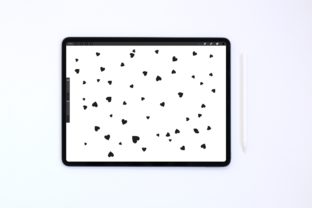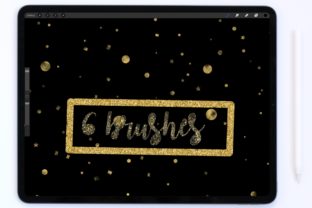
Sparkle in Procreate: Metallic Confetti Brush Set
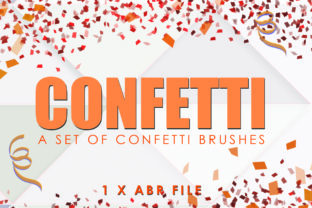
Digital art often struggles to replicate the tactile joy of physical media, specifically the way light catches on foil, glitter, or embossed paper. This is where a specialized toolset becomes essential for elevating your workflow. The Procreate Metallic Confetti Brushes collection offers a solution by introducing six distinct brush variations designed to simulate the shimmer and texture of metallic particles directly on your canvas. Unlike standard scatter brushes that rely solely on opacity and color, these tools are engineered to mimic the reflective quality of real-world materials, adding depth and luxury to digital illustrations without requiring complex layer styles or external textures.
For creators ranging from freelance illustrators to small business owners designing social media assets, the ability to quickly apply high-quality texture can significantly reduce production time while increasing visual impact. This set of six brushes provides a versatile toolkit that moves beyond simple decoration, serving as a foundational element for branding, editorial design, and personal artistic expression. Whether you are crafting a wedding invitation suite or designing a bold album cover, understanding how to leverage these specific tools can transform flat compositions into dynamic, engaging visuals.
Understanding the Mechanics of Digital Shine
The core value of Metallic confetti brushes for Procreate lies in their construction. A generic sparkly brush often looks repetitive because it stamps the same shape with varying opacity. In contrast, a well-crafted metallic set utilizes shape dynamics, grain integration, and color dynamics to ensure that no two strokes look identical. With six unique brushes in this set, users gain access to a range of particle sizes and distributions. Some brushes may feature large, irregular foil shards suitable for background textures, while others offer fine, dust-like specks perfect for highlighting edges or creating atmospheric depth.
What makes this approach particularly useful for professionals is the non-destructive nature of the workflow. You can apply these effects on separate layers, allowing for easy adjustment of blend modes. Switching a layer from "Normal" to "Overlay," "Soft Light," or "Color Dodge" interacts with the underlying colors to create a genuine metallic sheen rather than just a gray or white overlay. This flexibility ensures that the confetti adapts to the color palette of your project, maintaining consistency across different elements of a design.
Practical Applications for Branding and Marketing
Marketers and entrepreneurs often need to convey a sense of premium quality or celebration in their visual assets. Procreate Metallic Confetti Brushes are exceptionally effective for creating limited-edition product packaging mockups, sale banners, or event announcements. For instance, a boutique coffee shop launching a holiday blend can use these brushes to add a subtle gold dust effect to their label design, suggesting warmth and exclusivity without the cost of actual foil printing during the prototyping phase.
Social media managers can also benefit greatly. Static posts often get lost in fast-moving feeds, but adding textured elements can stop the scroll. By applying a sparse layer of metallic confetti around key text or product images, you create a focal point that draws the eye. The key here is restraint; using the finer brushes in the set to accentuate rather than overwhelm ensures the message remains clear. This technique works well for Instagram stories celebrating milestones, LinkedIn headers for professional achievements, or Pinterest pins promoting seasonal content.
Creative Directions for Illustrators and Designers
For illustrators, these brushes open up new stylistic avenues. They are not limited to party themes; metallic textures can represent magic systems in fantasy art, futuristic data streams in sci-fi concepts, or the glint of sunlight on water in landscape pieces. The variety within the six-brush set allows for layering. You might start with a broad, scattered base layer to establish a general atmosphere, then use a denser, more defined brush to trace contours and add dimensionality to specific objects.
Typography is another area where these tools shine. Hand-lettering artists can integrate metallic flecks directly into their strokes or use them as a decorative border. When creating custom logos for clients in the beauty or fashion industries, adding a touch of simulated metallic texture can help visualize how the final print might look on foil-stamped business cards or embossed packaging. It bridges the gap between the digital draft and the physical final product, helping clients visualize the end result more accurately.
- Editorial Illustrations: Use coarse metallic grains to add texture to magazine headers or chapter openers, giving digital publications a print-like feel.
- Greeting Cards: Design digital cards for birthdays or holidays where the confetti mimics the look of expensive cardstock finishes.
- UI/UX Accents: Apply subtle sparkle effects to app icons or loading screens to enhance the perceived value of a digital product.
- Pattern Design: Create seamless patterns using the scatter features for use on textiles, wrapping paper, or website backgrounds.
Adapting Techniques for Different Audiences
The versatility of Metallic confetti brushes for Procreate means they serve different purposes depending on the user's goal. Educators creating course materials might use them to highlight key points in a visually engaging way, making study guides more appealing to students. Hobbyists planning personal projects, such as digital planners or journals, can use these brushes to create decorative dividers and stickers that add a personal touch to their organization systems.
Freelancers working with tight deadlines will appreciate the efficiency. Instead of searching for stock photos of glitter or spending hours creating custom textures from scratch, having a dedicated set of six brushes allows for immediate application. The consistency of the brush engine ensures that if you need to match a texture across multiple deliverables—say, a series of blog headers or a deck of presentation slides—you can do so with a single tap, maintaining brand cohesion effortlessly.
Maintaining Clarity and Professionalism
While the temptation to add sparkle everywhere is strong, professional results come from strategic application. The most common mistake is overusing texture, which can make a design look cluttered and amateurish. To keep results clear and effective, consider the hierarchy of your composition. The metallic elements should support the main subject, not compete with it. If your text is busy or detailed, use a lighter hand with the confetti or restrict it to the negative space.
Organization is also crucial when working with textured layers. Name your layers clearly (e.g., "Gold Dust - Background" or "Silver Sparks - Accent") and group them logically. This practice makes it easier to toggle visibility, adjust opacity, or mask out areas where the texture interferes with readability. Using clipping masks is a powerful technique here; you can clip the confetti layer to a specific shape or text layer, ensuring the metallic effect only appears where you intend it to, keeping the rest of the canvas clean.
Furthermore, consider the output format. If the final piece is intended for print, ensure your color profile is set to CMYK if necessary, and be aware that some screen-based glow effects may not translate exactly to physical ink. However, for most modern digital-first workflows, these brushes provide a reliable representation of metallic finishes that translates well across screens and high-quality prints alike.
Final Thoughts on Elevating Your Workflow
Incorporating Procreate Metallic Confetti Brushes into your toolkit is about more than just adding flash; it is about adding dimension and emotional resonance to your work. Whether you are an entrepreneur looking to elevate your brand identity or an artist exploring new textures, these six brushes offer a practical, high-quality way to achieve complex looks with simplicity. By balancing creative experimentation with disciplined design principles, you can create work that feels both inspired and professionally polished. The true power of these tools lies in their ability to turn a standard digital illustration into something that feels tangible, luxurious, and uniquely yours.