Mastering Digital Texture with Supreme Acrylic Gouache Brushes
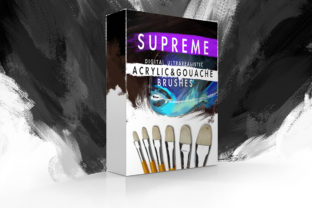
The transition from traditional media to digital art often involves a significant compromise: the loss of tactile feedback and organic texture. Many artists find themselves staring at a screen, missing the drag of bristles against canvas or the way water interacts with pigment. This is where the Supreme Acrylic Gouache Brushes collection steps in to bridge that gap. Designed specifically for Adobe Photoshop, this set of 27 custom brushes aims to replicate the dense, opaque, and versatile nature of acrylics and gouache without the physical mess. Whether you are a concept artist needing rapid iteration or an illustrator seeking the warmth of hand-painted strokes, these tools offer a compelling solution for modern creativity.
The Essence of Digital Impasto
At the heart of this collection is a dedication to simulating real-world physics within a digital environment. The Supreme Acrylic Gouache Brushes are not merely static stamps; they are dynamic tools engineered to respond to your input. Because they are fully pressure-sensitive, they require a graphics tablet to unlock their full potential. This sensitivity allows for a range of expression that mouse users simply cannot achieve. A light touch yields a dry, sketchy line, perfect for initial underpainting or rough composition. Pressing harder engages the "wet" settings of the brush, laying down thick, dense layers of color that mimic the buildup of actual paint.
The versatility of these brushes extends beyond their primary designation. While optimized for acrylic and gouache styles, experienced users have noted that with the right technique and layer blending modes, these same tools can effectively simulate oil paints and even pastel chalk. This adaptability makes them a cornerstone asset for any digital artist's library. The ability to switch between a quick, dry stroke for texturing and a heavy, wet application for blocking in shapes means you can complete an entire piece without switching brush sets constantly.
Who Benefits from This Toolset?
The utility of the Supreme Digital Acrylic Gouache Brushes Version 1.0 spans a wide demographic of creators. For professional concept artists, speed is currency. These brushes allow for rapid visualization of ideas, capturing the mood and lighting of a scene with the immediacy of traditional media but with the undo functionality of digital software. Graphic designers also find immense value here, particularly when creating assets that require a human touch to stand out in a sea of vector perfection. The organic imperfections introduced by these brushes can add character to logos, posters, and social media graphics.
However, the appeal is not limited to professionals. There is a growing community of hobbyists who wish to unwind in the evening with a creative session but lack the space or time to set up easels, mix paints, clean brushes, and manage drying times. For these individuals, the Supreme Acrylic Gouache Brushes provide an instant gateway to relaxation. You can open Photoshop, select a brush, and begin sketching immediately. There is no preparation of water pots, no waiting for layers to dry, and no cleanup required afterward. It is pure creation, stripped of logistical friction.
Technical Compatibility and Installation
One of the strongest arguments for adopting this specific brush set is its robust compatibility. In an industry where software updates frequently break older plugins, the Supreme Acrylic Gouache Brushes have been rigorously tested to ensure stability across a wide range of Photoshop versions. They function seamlessly on legacy systems including Photoshop CS3, CS4, CS5, and CS6, while maintaining full feature parity in the modern Creative Cloud (CC) iterations. This longevity ensures that regardless of your hardware age or software preference, these tools remain accessible.
Installing the brushes is a straightforward process designed to get you painting quickly. Once you have downloaded the file, simply navigate to your Photoshop presets folder. The standard path is usually ...Adobe Photoshop - Presets - Brushes. By dropping the brush file into this directory and restarting Photoshop, or by using the "Load Brushes" option within the software, the 27 unique tools will appear in your brush panel. From there, you can organize them, assign shortcut keys, and begin experimenting immediately.
Real-World Applications and Workflow Integration
To understand the true value of these brushes, one must look at how they fit into a practical workflow. Consider a scenario where an illustrator is tasked with creating a book cover that requires a whimsical, hand-painted aesthetic. Using standard digital airbrushes might result in an image that feels too smooth or sterile. By utilizing the Supreme Acrylic Gouache Brushes, the artist can build up texture layer by layer. They might start with a dry, scratchy brush to define the composition, then move to a denser, wetter brush to fill in the colors, allowing the strokes to overlap naturally. The result is an image that retains the charm of traditional illustration while benefiting from digital editing capabilities.
Another practical application lies in texture creation for 3D modeling or game design. Concept artists often need to generate quick material studies—wood, stone, fabric—that look authentic. The varied stroke types within this 27-brush collection allow for the creation of complex surface details that would take hours to photograph or generate procedurally. The "thick" and "dense" settings are particularly effective for simulating heavy impasto, giving depth to flat surfaces.
Evaluating Suitability: Strengths and Considerations
While the Supreme Acrylic Gouache Brushes are powerful, it is important to have realistic expectations. These are simulation tools, not magic wands. The quality of the output is directly correlated with the skill of the user and the quality of their hardware. As noted, a graphics tablet with pressure sensitivity is a mandatory requirement. Without it, the brushes will behave like static stamps, losing the dynamic range that defines their character. Users relying solely on a mouse may find the experience limiting and may not achieve the desired organic look.
Furthermore, mastering these brushes requires a period of experimentation. Because they aim to mimic physical media, they behave differently than standard pixel brushes. Understanding how opacity, flow, and tablet pressure interact is crucial. Beginners might initially struggle with the "dry" brushes appearing too sparse or the "wet" brushes becoming muddy if overworked. However, this learning curve is part of the process of emulating traditional art forms. The documentation suggests keeping an open mind; trying different blending modes and canvas textures can transform a standard stroke into something resembling oil or pastel.
It is also worth noting that while these brushes excel at imitation, they do not replace the need for fundamental artistic knowledge. Color theory, composition, and lighting principles remain paramount. The brushes are simply the vehicle for expressing these concepts. For those willing to invest the time to learn the nuances of the toolset, the payoff is a digital workflow that feels remarkably close to sitting at a physical desk with a palette and canvas.
Final Thoughts on Digital Traditionalism
In conclusion, the Supreme Digital Acrylic Gouache Brushes Version 1.0 represents a thoughtful convergence of old-school artistry and new-school technology. They address a specific pain point for artists who crave the texture of acrylics and gouache but require the flexibility of digital tools. By offering a curated selection of 27 high-quality, pressure-sensitive brushes, this set eliminates the clutter of physical supplies while preserving the soul of hand-painted art.
Whether you are a seasoned professional looking to expand your textural repertoire or a casual creator seeking a relaxing evening hobby, these brushes offer a viable and enjoyable path forward. They remind us that digital art does not have to feel cold or synthetic. With the right tools and a bit of practice, the screen can become just as expressive as the canvas. For anyone interested in exploring the intersection of traditional aesthetics and digital efficiency, integrating the Supreme Acrylic Gouache Brushes into your workflow is a logical and inspiring next step.