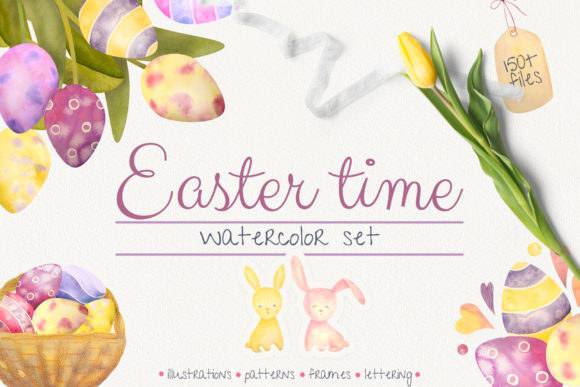
Unlocking Spring Creativity: A Practical Guide to the Huge Easter Time Pack
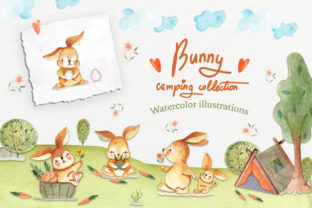
Easter is a stunning, colorful holiday that demands a visual language as vibrant as the season itself. While digital tools offer precision, watercolor remains the best medium for capturing the organic, soft essence of spring. The Huge Easter Time Pack was created with this specific philosophy in mind. It features hand-painted Easter bunnies, bright colorful eggs, and spring tulips that mimic the delicate texture of real eggs, alongside many other elements necessary for a complete spring composition. These illustrations are drawn by hand with great love, designed to mix perfectly with one another to help you create unique compositions that fill your holiday projects with a genuine spring mood.
However, possessing a rich library of assets like this collection is only half the battle. Many creators, from seasoned professionals to enthusiastic hobbyists, often stumble not because of a lack of talent, but due to overlooked details in how they select, apply, and manage their design resources. Whether you are designing for an Easter party, DIY projects, T-shirts, bags, phone cases, fabric prints, textiles, holiday invitations, greeting cards, wedding designs, quotes, blogs, or posters, avoiding common pitfalls can significantly elevate your final output.
Misunderstanding Resolution and Print Quality
One of the most frequent errors designers make when downloading asset packs is ignoring the technical specifications until it is too late. A common misconception is that any image labeled "high quality" will suffice for both web and print. This is rarely true. When you are preparing materials for physical products like T-shirts, fabric prints, or high-end greeting cards, resolution is non-negotiable.
The Huge Easter Time Pack addresses this by providing elements at 300 DPI (dots per inch). If you attempt to stretch a 72 DPI web graphic to fit a poster or a tote bag, the result will be pixelated and unprofessional. This mistake directly affects the perceived value of your product. Before you begin your project, always verify the DPI. For this collection, the 50 Easter elements, 35 frames, and 15 seamless patterns are all optimized at 300 DPI, ensuring crisp lines whether you are printing a small invitation or a large blog header. Always check the pixel dimensions as well; for instance, the seamless patterns here are 4000x4000 px, offering ample room for scaling without loss of fidelity.
The Trap of Rigid Composition
Another subtle mistake is treating pre-made assets as static stickers rather than flexible building blocks. Some users download a pack and use the pre-made compositions exactly as they appear in the preview files. While the three pre-made cards included in this set (sized at 1748x2480 px) are excellent starting points, relying on them exclusively limits your creative potential.
The true power of this collection lies in its transparency and modularity. All illustrations come with transparent backgrounds in PNG format. This allows you to layer the hand-painted bunnies over the watercolor stains and splashes to create entirely new scenes. A better approach is to treat the 12 watercolor stains and splashes as your canvas foundation. By placing these first, you establish a mood, then layer the flowers, leaves, and eggs on top. This method prevents your design from looking "stock" and ensures your Easter party invitations or wedding designs feel bespoke and curated.
Overlooking File Format Versatility
Beginners often stick to JPG files out of habit, unaware of the limitations this imposes. JPGs do not support transparency, meaning you cannot easily remove the white background to place an egg illustration over a colored fabric or a patterned textile. This oversight can lead to hours of tedious editing in Photoshop or inferior results with visible white halos around your subjects.
To maintain efficiency and quality, prioritize the PNG files included in the Huge Easter Time Pack. With transparent backgrounds, you can instantly drag and drop elements into complex layouts for phone cases or blog graphics. Furthermore, the inclusion of ABR Photoshop brushes is a feature often underutilized. Instead of just placing static images, use these brushes to paint additional textures or blend your existing elements seamlessly. This creates a cohesive look where the digital assets feel like they were painted directly onto your project surface.
Neglecting Typography and Handwritten Nuance
In the rush to arrange the visual elements, many creators neglect the typography. Easter designs rely heavily on the warmth of handwritten text to convey a personal touch. Using a standard system font like Arial or Times New Roman can clash with the organic feel of watercolor tulips and bunnies.
This collection includes nine handwritten phrases about Easter and spring, available in both JPG and PNG formats. A common error is stretching these text elements to fit a layout, which distorts the letterforms and ruins the hand-painted aesthetic. Instead, use these phrases as focal points or accent pieces. If you need different wording, use the style of these included phrases as a reference to select a complementary font, or utilize the ABR brushes to letter your own quotes. Ensure your text hierarchy is clear; let the handwritten phrases shine against the simpler backgrounds provided by the watercolor splashes.
Pattern Repetition and Scale Issues
When working with the 15 cute seamless patterns included in the set, a frequent oversight involves scale and color context. A pattern that looks delightful at 100% zoom might appear too busy or lose its detail when tiled across a large fabric print or a website background. Additionally, some users fail to test how these patterns interact with the foreground elements.
Before committing to a final design, create a test tile. The patterns in this pack come in various background colors, but remember that contrast is key. If you place bright, colorful eggs over a busy pattern, the subject may get lost. A more effective strategy is to use the patterns for secondary areas—like the inside of a card, the lining of a bag, or a website footer—while keeping the main composition area cleaner with the watercolor stains. This balance ensures that the "spring mood" is felt without overwhelming the viewer.
Making the Right Choice for Your Workflow
Ultimately, the goal of using a resource like the Huge Easter Time Pack is to enhance your workflow, not complicate it. By understanding the technical strengths of the files—such as the 300 DPI resolution, transparent PNGs, and versatile ABR brushes—you avoid the frustration of reworking projects later. Whether you are a small business owner creating marketing materials, an educator making classroom decorations, or a freelancer designing client branding, taking the time to evaluate how these elements mix is crucial.
Remember, these illustrations were drawn to work together. Experiment with combining the tulips with the frames, or overlaying the eggs on the splashes. Find your new combinations rather than sticking to the obvious pairings. When you approach your design process with an eye for detail and a willingness to experiment, you transform a simple asset pack into a comprehensive toolkit for celebrating the season. Use the ready decor wisely, respect the file formats, and let the hand-painted charm of these elements bring a unique, loving touch to every project you create this spring.