Unlocking Authentic Texture: A Complete Guide to the 30 Gofe Ink Photoshop Brushes
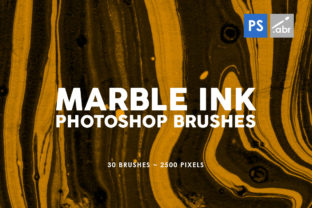
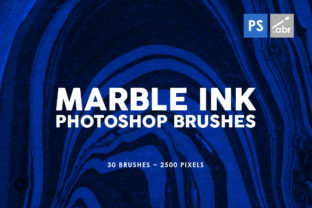
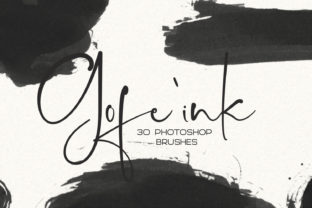
In the rapidly evolving world of digital design, there is a constant tension between the pristine perfection of vector graphics and the organic chaos of traditional art. While software allows us to create flawless lines and gradients, many designers and artists find themselves craving the imperfections that make art feel human. This is where the 30 Gofe Ink Photoshop Brushes come into play. If you are looking for something different—a tool that bridges the gap between the digital screen and the tactile feel of paper—this hand-crafted brush set offers a unique solution.
These brushes are not merely algorithms generating random noise; they are digital replicas of real ink strokes, created by hand to ensure authenticity. Whether you are a seasoned graphic designer or a hobbyist exploring lettering for the first time, understanding how to leverage these tools can transform your workflow and elevate the quality of your creative output.
The Significance of Hand-Made Digital Textures
To truly appreciate the value of the 30 Gofe Ink Photoshop Brushes, one must first understand the "uncanny valley" of digital art. When every line is too smooth and every color too uniform, the viewer's subconscious often registers the image as cold or manufactured. The purpose of ink brushes in a digital environment is to reintroduce the element of chance and texture that occurs when physical ink hits physical paper.
The Gofe collection stands out because it is made by hand. This means the source material for these digital tools was likely created using traditional ink and paper, scanned, and then meticulously processed into brush presets. The result is ink that looks "so real," regardless of the scale at which it is used. Whether you are creating a massive billboard or a tiny social media icon, the texture retains its integrity, providing a depth that standard software brushes often lack.
Why Realism Matters in Modern Design
In an era dominated by sleek, minimalist user interfaces and flat design trends, there has been a significant counter-movement toward "neo-brutalism" and organic aesthetics. Brands are increasingly seeking ways to stand out by appearing more approachable and human. Using realistic ink textures helps achieve this by adding warmth and character. It signals to the audience that there is a human touch behind the brand, fostering a deeper emotional connection.
For example, a wedding invitation designed with sterile, computer-generated fonts might feel efficient, but one embellished with genuine ink splatters and fluid strokes feels celebratory and personal. This distinction is crucial in industries where emotion drives decision-making, such as hospitality, lifestyle branding, and artisanal products.
Practical Applications Across Industries
The versatility of the 30 Gofe Ink Photoshop Brushes makes them an essential asset for a wide range of projects. Because the ink produced is so adaptable, it fits seamlessly into both print and web environments. Here is how these brushes fit into various professional contexts:
- Wedding Invitations and Stationery: Calligraphy and hand-lettering are staples in the wedding industry. These brushes allow designers to create custom monograms, border embellishments, and background textures that mimic expensive handmade paper.
- Branding and Logo Design: For businesses wanting a rugged, artistic, or boutique feel, ink brushes can be used to craft unique logotypes that avoid the generic look of stock typography.
- Greeting Cards: Whether for holidays or birthdays, adding hand-drawn ink elements can make a digital card feel like a cherished physical object.
- Social Media Posts: In the crowded feed of Instagram or Pinterest, posts with textured, organic elements tend to stop the scroll more effectively than polished corporate graphics.
- Photo Embellishment: Photographers can use these brushes to add artistic overlays, framing, or signature marks to their portraits and landscapes, turning a photo into a mixed-media piece.
From Concept to Creation: How It Works
One of the most appealing aspects of this specific brush set is its simplicity. You do not need to be a technical wizard to utilize them. The process is designed to be intuitive: you simply import the file into Adobe Photoshop, select the brush, and start creating. The learning curve is minimal, allowing you to focus on creativity rather than configuration.
Once imported, the brushes respond dynamically to your input. A key feature highlighted in the product description is that they look great big or small. Many low-quality brushes lose their texture definition when scaled up, becoming pixelated or blurry. However, because the Gofe brushes are derived from high-resolution hand-made sources, they maintain their crisp, organic edge at any size. Furthermore, they are fully compatible with the color picker tool, meaning you can apply these realistic ink strokes in any color you choose, breaking the misconception that ink brushes are limited to black or sepia tones.
Technical Compatibility and Limitations
While the creative possibilities are vast, it is vital to address the technical requirements to ensure a smooth user experience. These brushes are engineered specifically for the desktop version of Adobe Photoshop. This specificity ensures that the complex texture data and pressure sensitivity settings function exactly as intended.
It is important to clarify a common misunderstanding regarding cross-platform compatibility. These brushes will ONLY work in the Photoshop version on desktop computers. They will not work in iPad applications (such as Procreate) or other graphic design software like Illustrator or Affinity Designer. This limitation exists because different software engines handle brush dynamics and texture mapping differently. Attempting to load these specific files into unsupported applications will result in errors or non-functional tools.
For users working primarily on tablets, this serves as an important reminder to check their workflow setup. However, for desktop users, this specialization guarantees a high-fidelity experience that generic brushes cannot match.
Building a Broader Understanding of Digital Assets
Integrating tools like the 30 Gofe Ink Brushes into your repertoire is about more than just having a new toy; it is about expanding your visual vocabulary. In education and self-directed learning, experimenting with different textures teaches artists about light, shadow, and composition in a way that solid colors cannot. It encourages a mindset of experimentation where "mistakes" like ink bleeds or splatters become intentional stylistic choices.
Moreover, in a business context, owning unique assets like hand-made brush sets provides a competitive edge. When everyone uses the same standard library filters, work begins to look homogenous. By utilizing specialized, hand-crafted tools, creators can develop a signature style that is recognizable and valuable.
Conclusion: Embracing the Organic in a Digital World
The 30 Gofe Ink Photoshop Brushes represent a perfect marriage of tradition and technology. They offer a pathway for designers to escape the sterility of pure digital creation and inject soul, texture, and humanity into their work. Whether you are embellishing a photo, crafting a wedding invitation, or developing a brand identity, these brushes provide the realism and flexibility needed to make your projects stand out.
Remember, the power of these tools lies in their ease of use and their authentic origin. By importing them into Photoshop and letting go of the need for perfection, you can discover a new realm of creative expression. As you explore the included 30 ink brushes, you will find that they are not just tools for drawing; they are instruments for storytelling, capable of conveying emotion and depth in ways that pixels alone never could. So, import the set, choose your color, and just have fun creating art that feels as real as the ink on the page.