Mastering Cosmic Design with Space Photoshop Brushes
In the realm of digital art and graphic design, few subjects capture the imagination quite like the cosmos. The vastness of space, with its nebulas, galaxies, and star fields, offers a visual language that conveys mystery, scale, and wonder. However, rendering these elements from scratch in Adobe Photoshop can be a time-consuming and technically demanding process. This is where specialized assets like Space Photoshop Brushes become indispensable tools for creators. Specifically, a curated collection featuring 10 photorealistic starscape brushes provides a practical solution for professionals and hobbyists alike who need to integrate high-quality celestial elements into their workflows efficiently.
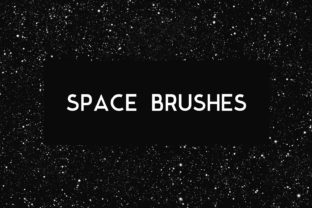
These brushes are not merely decorative stamps; they are sophisticated texture generators designed to mimic the complex lighting and density variations found in real astronomical photography. When evaluating a set of Space Photoshop Brushes, the primary metric for success is photorealism. A generic brush often results in flat, repetitive patterns that break immersion. In contrast, a high-caliber set utilizes advanced blending modes and opacity jitter settings to ensure that every stroke feels organic. The inclusion of 10 distinct variations allows for significant flexibility, enabling the user to layer different densities and star sizes to create depth without the artwork looking artificial or "stamped on."
Practical Applications Across Digital Media
The versatility of these tools extends far beyond simple illustration. For professionals working in marketing and branding, the ability to quickly generate stunning backgrounds is a significant productivity booster. Consider the creation of wallpapers for desktop and mobile devices. Users expect high-resolution imagery that looks crisp on retina displays. By leveraging these photorealistic starscape brushes, designers can compose unique wallpapers that avoid the cliché look of stock photography while maintaining a professional finish. The brushes allow for precise control over where the light clusters, making it easy to leave negative space for clock widgets or app icons on smartphone interfaces.
Similarly, the demand for engaging social media assets continues to grow. Creating a Facebook cover or a YouTube background requires an image that is not only visually striking but also optimized for specific aspect ratios. Space themes are particularly effective for tech channels, gaming streamers, and educational content creators focusing on science. Using Space Photoshop Brushes, a creator can build a cohesive brand identity across platforms. For instance, a YouTube banner might feature a dense nebula core created with one brush variation, fading into a sparse star field using another, ensuring the channel art looks custom-made rather than templated.
The utility of these brushes also translates well to physical media. When designing print templates for flyers, posters, or event invitations, resolution and print-readiness are paramount. A common pitfall with low-quality digital brushes is pixelation when scaled up for large format printing. High-quality space brushes are typically engineered at substantial resolutions, ensuring that the fine details of distant stars remain sharp even on a glossy flyer or a large concert poster. This makes them an excellent choice for promoting science museum exhibits, astronomy club meetings, or futuristic-themed product launches.
Enhancing Mobile and Device Aesthetics
In an era where personal devices are extensions of our identity, customizing iPhone and iPad covers has become a popular endeavor for both individual users and case manufacturers. Designers creating patterns for phone cases require textures that wrap seamlessly around curves and edges. The granular control offered by a dedicated set of Space Photoshop Brushes allows for the creation of seamless patterns or dynamic compositions that look incredible when printed on silicone, leather, or hard plastic. The photorealistic nature of the stars ensures that the final product retains a premium feel, distinguishing it from mass-produced, low-fidelity designs.
Furthermore, these brushes are invaluable for adding photo effects to existing imagery. A portrait photographer might wish to add a subtle cosmic overlay to a fashion shoot to evoke a dreamlike atmosphere. Instead of compositing entire stock images, which can often look disjointed due to mismatched lighting, applying specific star clusters and dust lanes via brushes allows for a more integrated approach. The artist can paint light exactly where it interacts with the subject's hair or clothing, creating a believable fusion of reality and fantasy. This level of integration is what separates amateur edits from professional-grade retouching.
Evaluating Quality and Workflow Efficiency
From a workflow perspective, the value of Space Photoshop Brushes lies in their ability to reduce production time without sacrificing quality. Manually painting thousands of individual stars or trying to mask out complex nebula shapes from photos can take hours. With a robust brush set, these elements can be established in minutes, allowing the designer to focus on composition, color grading, and typography. The 10 included variations in a standard high-quality pack usually cover a range of needs: from fine, distant star fields to bold, glowing gas clouds. This variety prevents the repetition that often plagues digital art created with limited toolsets.
Usability is another critical factor. Effective brushes should respond naturally to pressure sensitivity if used with a graphics tablet, allowing for dynamic strokes that vary in opacity and size. This responsiveness gives the artist a tactile connection to the digital canvas, mimicking traditional media behaviors. Moreover, the organization of the brush preset manager matters; clearly named brushes that describe their function (e.g., "Dense Cluster," "Diffuse Nebula," "Sharp Stars") streamline the creative process, reducing the friction of searching for the right tool mid-project.
Who Benefits Most from These Tools?
While any creative individual can appreciate these assets, certain groups will find Space Photoshop Brushes particularly transformative. Freelance graphic designers often face tight deadlines and diverse client requests. Having a reliable library of space assets means they can pivot quickly to a sci-fi or cosmic theme without needing to source expensive stock photos or spend days rendering 3D environments. Similarly, small business owners in the tech or entertainment sectors can use these tools to produce in-house marketing materials, saving on outsourcing costs while maintaining brand consistency.
Educators and publishers creating materials for science curricula also stand to benefit. Visual aids that accurately depict the beauty of the universe can engage students more effectively than dry diagrams. By using photorealistic brushes, educators can create custom illustrations for textbooks, presentation slides, or online courses that are both scientifically evocative and aesthetically pleasing. Additionally, serious hobbyists and digital painters who enjoy concept art for games or books will find these brushes essential for establishing mood and setting in their world-building exercises.
Limitations and Best Practices
Despite their strengths, it is important to approach Space Photoshop Brushes with a realistic understanding of their limitations. They are tools, not magic solutions. Overusing them without regard for lighting direction or color harmony can result in a cluttered and unrealistic image. The key to effective usage is subtlety and layering. It is rarely effective to rely on a single brush stroke; instead, combining multiple brush types with different blend modes (such as Screen, Linear Dodge, or Overlay) creates the most convincing results. Artists must also consider the context of the scene; a star field placed behind a foreground object must respect atmospheric perspective, appearing fainter and less detailed as it recedes.
Furthermore, while these brushes excel at creating backgrounds and textures, they may not replace the need for 3D modeling when specific planetary geometries or complex orbital mechanics are required. They are best viewed as a complement to other techniques, filling in the gaps between major focal points. For print projects, always verify the DPI settings before finalizing the design to ensure the brush textures do not degrade during the printing process.
In conclusion, a well-crafted set of Space Photoshop Brushes, particularly one offering 10 photorealistic variations, represents a high-value asset for a wide spectrum of creatives. Whether the goal is to design a captivating YouTube background, produce a high-resolution print template, or add ethereal photo effects to a portrait, these tools provide the necessary fidelity and flexibility. By integrating these brushes into a professional workflow, designers can achieve stunning cosmic visuals with greater efficiency, allowing them to focus on the storytelling aspects of their projects. As digital media continues to evolve, the demand for high-quality, specialized assets like these will only increase, making them a worthy investment for anyone serious about mastering the art of digital space exploration.