Bringing Hand-Drawn Authenticity to Your Digital Art with the Brushpen Pack
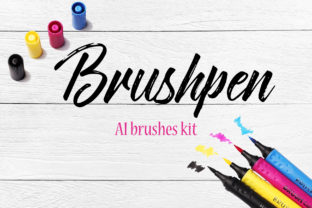
There is a specific kind of friction and texture you get when a felt-tip marker hits paper that digital tools often struggle to replicate. For years, vector artists have relied on clean, mathematical lines, but sometimes a project demands the imperfection of a human hand. This is where the Brushpen Pack changes the workflow. It isn't just another collection of swatches; it is a bridge between the tactile feel of traditional illustration and the scalability of Adobe Illustrator. With 145 hand-drawn brushes designed to imitate real brush pens, this toolset allows creators to inject soul into their vectors without leaving the software they already know.
The core value of this pack lies in its simplicity and immediacy. Unlike complex plugin suites that require hours of study, these resources are built for people who need to create now. Whether you are a freelance graphic designer rushing to meet a client deadline or a hobbyist trying to digitize your weekend sketches, the process is refreshingly direct. You simply add the brushes file to your Brushes panel in AI, or open the included .eps file to start working. There is no steep learning curve, no confusing interface, and no need to tweak endless settings to get a line that looks like it was drawn with ink.
Why Vector Artists Crave Imperfection
In the world of commercial design, perfection can sometimes feel sterile. Logos, social media graphics, and marketing materials often suffer from looking too "computer-generated." Audiences today, particularly those in the 20 to 50 age range, have developed a keen eye for authenticity. They respond to visuals that feel crafted rather than assembled. The Brushpen Pack addresses this by offering 145 variations that mimic the pressure sensitivity, ink bleed, and edge variation of physical markers.
When you use these brushes, you aren't just drawing a line; you are simulating an experience. A standard vector stroke has uniform width unless manually adjusted. These brushes, however, react to your mouse or tablet movement in a way that suggests weight and speed. This is crucial for branding projects where a company wants to appear approachable and human. Imagine a coffee shop logo that looks like it was sketched on a napkin versus one that looks like it was generated by a algorithm. The former invites connection; the latter feels distant. By integrating these hand-drawn elements, marketers and small business owners can soften their brand identity, making it more relatable to their customer base.
Real-World Applications Across Industries
The versatility of having 145 distinct brush styles means this pack fits into nearly every creative scenario. Let's look at how different professionals might actually use this in their day-to-day work.
- Social Media Managers and Bloggers: In the fast-paced world of content creation, standing out in a feed is difficult. Using standard fonts and stock photos often leads to "banner blindness." A blogger can use these brushes to create custom headers, underline key points in infographics, or draw attention-grabbing arrows and circles around important text. The hand-drawn aesthetic stops the scroll because it looks personal, as if the creator spoke directly to the viewer.
- Educators and Course Creators: Teachers and online instructors know that engagement drops when slides look too corporate. By using the Brushpen Pack to annotate diagrams, highlight key concepts, or create whimsical illustrations for lessons, educators can make complex topics feel more accessible. The imperfect lines suggest a live, dynamic teaching environment rather than a static textbook.
- Publishers and Authors: Book covers and interior illustrations benefit immensely from texture. A self-published author looking to give their memoir a warm, nostalgic feel can use these brushes to create chapter headings or decorative borders that evoke the feeling of handwritten journals. It adds a layer of emotional depth that pure typography cannot achieve alone.
- Product Designers and Packaging Experts: When designing labels for artisanal goods—like craft beer, organic soaps, or boutique chocolates—the packaging needs to communicate quality and care. These imitation brush pens allow designers to create limited-edition label art that feels exclusive and handmade, even when produced at scale.
Streamlining the Creative Process
One of the biggest hurdles for creatives is the time it takes to create custom assets from scratch. Drawing 145 unique brush strokes by hand, scanning them, vectorizing them, and cleaning up the nodes could take days. This pack condenses that workload into a single download. For entrepreneurs running lean operations, time is money. Being able to drop these brushes into an existing project and immediately elevate the visual quality is a significant efficiency boost.
Consider the scenario of a marketing agency pitching a campaign for a lifestyle brand. The pitch deck needs to look inspiring and fresh. Instead of spending hours searching for the right stock vector or trying to fake a hand-drawn look with opacity masks, the designer loads the Brushpen Pack. Within minutes, they can sketch out concepts that look polished yet organic. This speed allows for more iteration and experimentation, leading to better final outcomes for the client.
Technical Ease and Compatibility
A common concern when downloading new assets is compatibility and ease of installation. Many users dread tangled file structures or plugins that crash their software. This resource avoids those pitfalls entirely. The instruction is straightforward: add the file to the Brushes panel in Adobe Illustrator or open the .eps file. This flexibility caters to different workflows. Some users prefer to have the brushes permanently installed in their library for quick access across all projects. Others might prefer to open the .eps file as a standalone document to copy and paste specific elements into their current workspace.
Furthermore, because these are vector-based brushes, they retain their quality regardless of scaling. Whether you are designing a tiny icon for a mobile app or a massive billboard, the edges remain crisp. This is a distinct advantage over raster-based hand-drawn textures, which can become pixelated when enlarged. You get the best of both worlds: the organic look of ink and the mathematical precision of vectors.
What to Consider Before You Start
While the Brushpen Pack is a powerful tool, using it effectively requires a bit of intentionality. It is tempting to apply these brushes to everything, but restraint is key to maintaining a professional look. Here are a few practical considerations for users before they dive in:
- Context Matters: Ensure the hand-drawn style aligns with the brand voice. While perfect for lifestyle, food, and creative industries, it might not suit a law firm or a high-tech financial institution where stability and precision are the primary messages.
- Layering and Composition: Because these brushes simulate ink, they can look dense if overlaid too heavily. Experiment with transparency and blending modes to create depth. Sometimes, letting the white space breathe around a brush stroke makes it look more authentic.
- Color Choices: Real brush pens often have slight color variations due to ink flow. While these digital brushes are solid color by default, consider creating subtle gradients or using slightly varied shades of the same hue to enhance the realistic effect.
- Tablet vs. Mouse: While these brushes work with a mouse, using a graphics tablet will yield more natural results. The pressure sensitivity of a tablet interacts beautifully with the shape dynamics of these brushes, allowing for thicker downstrokes and thinner upstrokes, mimicking true calligraphy.
Ultimately, tools like the Brushpen Pack are about expanding your creative vocabulary. They allow you to speak a visual language that feels warmer, more human, and more engaging. In a digital landscape saturated with sleek, flawless geometry, there is a profound power in the imperfect, wobbly, ink-stained line. Whether you are building a brand, teaching a class, or just expressing an idea, having 145 high-quality, ready-to-use brush options at your fingertips removes the barrier between your imagination and the screen. It turns the technical act of vector drawing into something that feels remarkably like art.